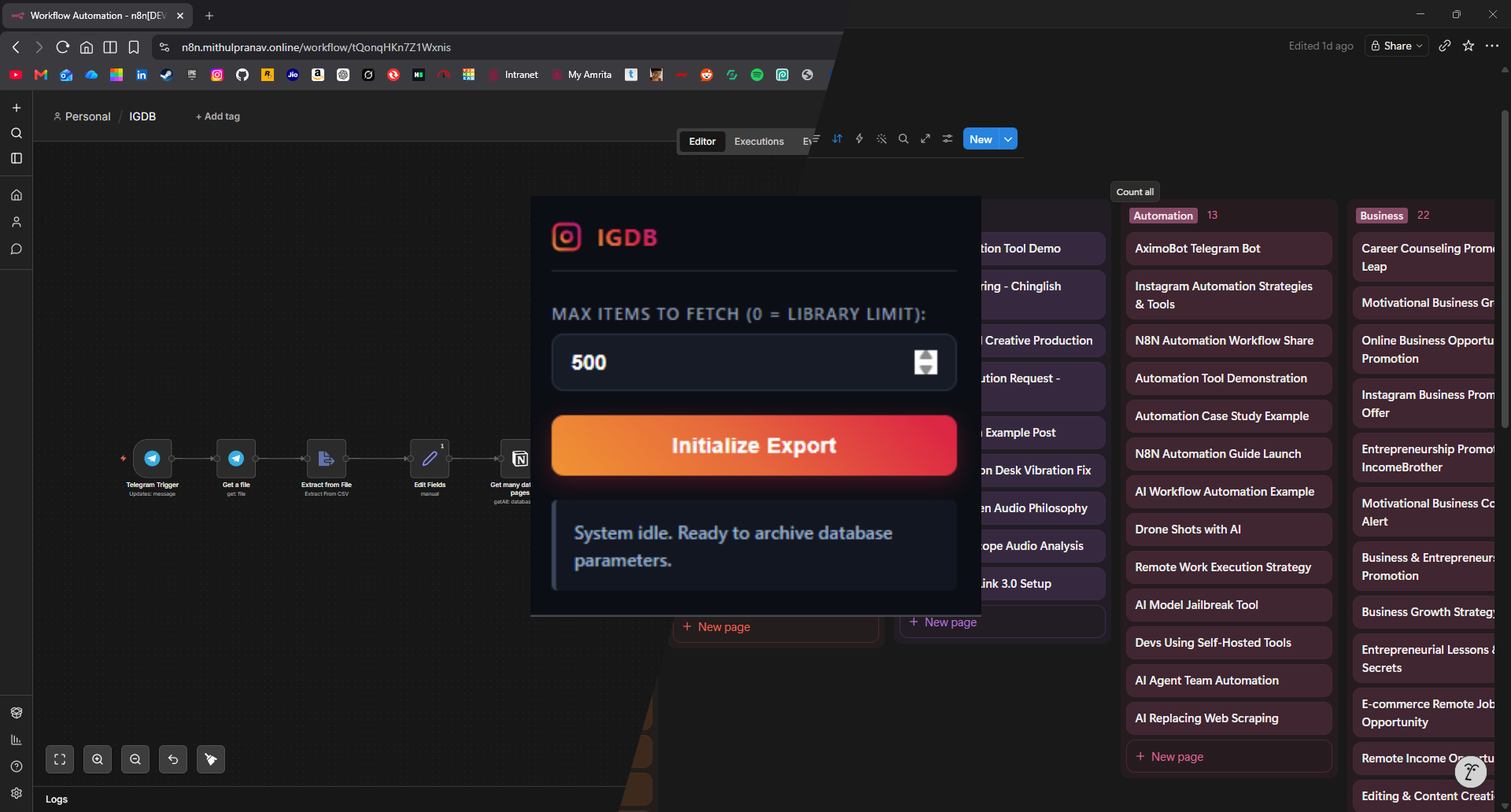
We’ve all been there. You’re scrolling on Instagram, you see a sick PC setup, a hilarious meme, or a life-changing career tip, and you smash that “Save” button. And then… you literally never look at it again. Your Instagram “Saved” folder becomes a black hole where good content goes to die.
I decided I was done with that. I wanted all my saved posts neatly categorized, searchable, and stored in Notion.
This is the story of how I built an end-to-end, AI-powered automation pipeline—dubbed IGDB to pull my saves out of the void and into Notion. Here’s the technical breakdown of how I duct-taped Python, a Chrome Extension, Telegram, n8n, and a local LLM together to make the magic happen.
Phase 1: The “It Works But It Hurts” Python Script
My initial idea was simple: write a Python script to hit Instagram’s internal API and rip all the saved posts into a JSON file.
I wrote a script that pings https://www.instagram.com/api/v1/feed/saved/posts/. It loops through the pagination using next_max_id and slaps a 10-second time.sleep() in there to avoid angering Zuck.
The Catch: Instagram’s API is heavily guarded. To make this work, I had to open Chrome DevTools, fish out my X-Ig-App-Id, User-Agent, Cookie, and X-Csrftoken, and manually paste them into a .env file every time my session expired.
It worked. It gave me a beautiful json file with all the posts. But the token-copying workflow was annoying.
Phase 2: The Browser Extension Upgrade
If the problem was copying browser tokens, the solution was obvious: put the code in the browser.
So I built a custom Chrome Extension (Manifest V3) specifically to export massive Instagram saved libraries safely.
Here’s the architecture of the extension:
popup.js: A slick little UI to start the scraping loop and monitor progress.background.js: The real MVP. It natively callschrome.cookies.get()to snatch thecsrftokenstraight out of the active Instagram session.- The Fetch Loop: It mimics the exact same API calls as my Python script, but because it’s running inside the browser, it has all the legitimate headers built-in. It handles pagination, batches the items into
chrome.storage.local, and then seamlessly spits out a json file via a hidden background tab (download.html).
No more DevTools. No more .env files. Just click “Start” and watch the JSON rain down.
Phase 3: Making Sense of the JSON
Instagram’s JSON response is… chaotic. It’s deeply nested and full of irrelevant data. Before piping it into Notion, I needed to clean it up.
Enter another python script.
This script ingests the json file and uses pandas to flatten the nested mess into a clean CSV. It extracts the essentials:
- Creator (Username)
- Post URL
- Media Type (Image, Video/Reel, Carousel)
- Caption (Cleaned of pesky line breaks)
- Stats (Likes, Plays)
- Date Saved
At the end, it spits out a clean csv sorted chronologically. Perfect.
Phase 4: The n8n Automagic & Local AI Brain
Now I had a clean CSV, but how do I get it into Notion intelligently? I didn’t just want a dump of links; I wanted them categorized (e.g., AI, Cars, PC Setups, Career, Video Editing).
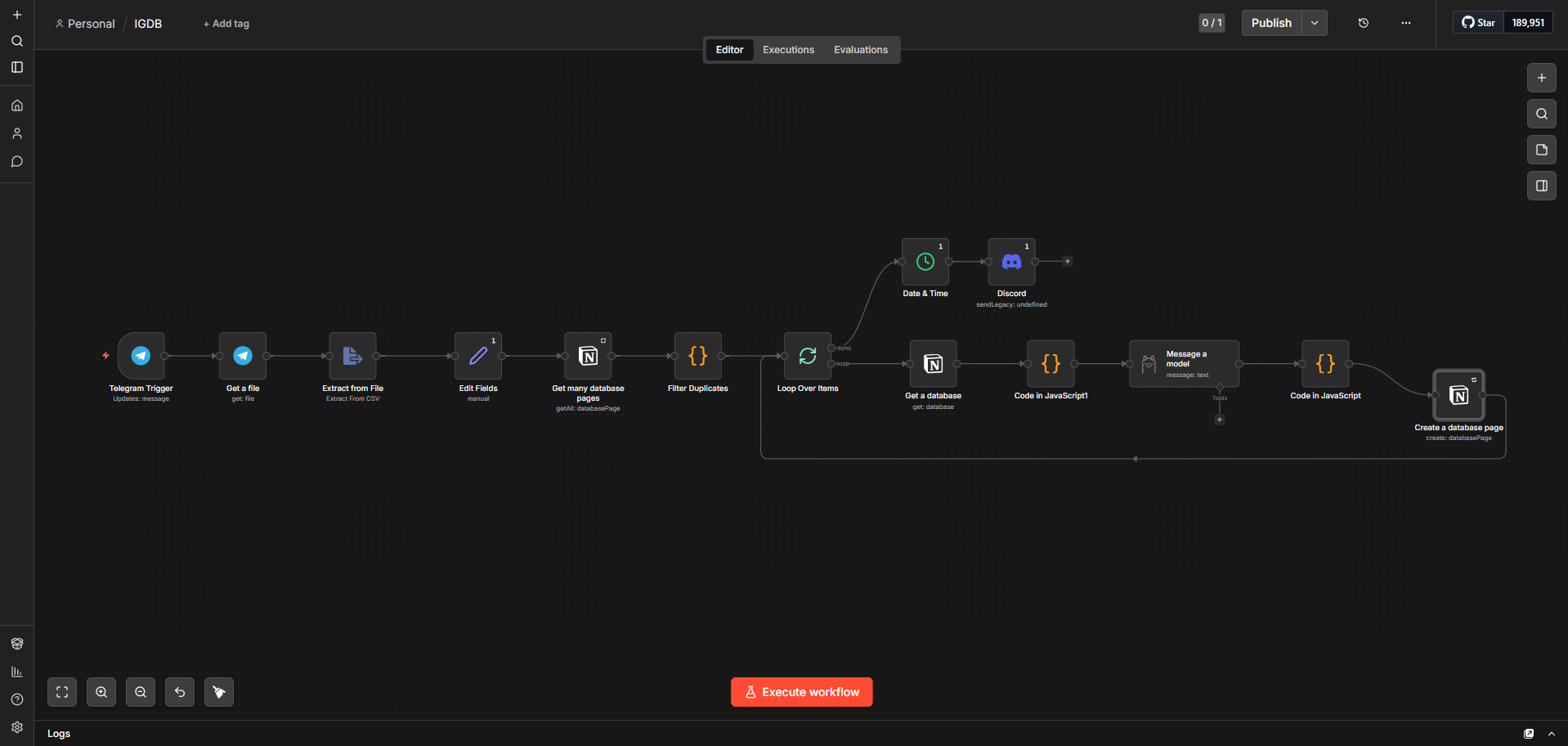
I spun up n8n (an open-source workflow automation tool) and built the ultimate pipeline:
1. The Telegram Trigger
I send the csv to a private Telegram bot. The n8n workflow triggers via Webhook, instantly downloading the CSV file.
2. The Duplicate “Kill Switch”
Before processing new items, n8n queries my existing Notion database. I wrote a custom JavaScript node that maps out all existing URLs in Notion and cross-references them against the incoming CSV. If a post is already in Notion, it gets dropped. We only process fresh meat.
3. The Dynamic AI Categorizer (Ollama)
This is where it gets crazy. For every new post, the workflow:
- Grabs the live list of categories from my Notion database properties.
- Combines them with my seed categories.
- Fires off a prompt to a local Gemma 3:4b LLM running via Ollama.
The prompt is ruthless:
“You are a strict data classification AI. Review the EXISTING CATEGORIES list. Read the Username and Caption. If it fits an existing category, output it. If it doesn’t, invent ONE new single-word category. Generate a title. Output ONLY raw JSON.”
4. Notion Integration & Victory Lap
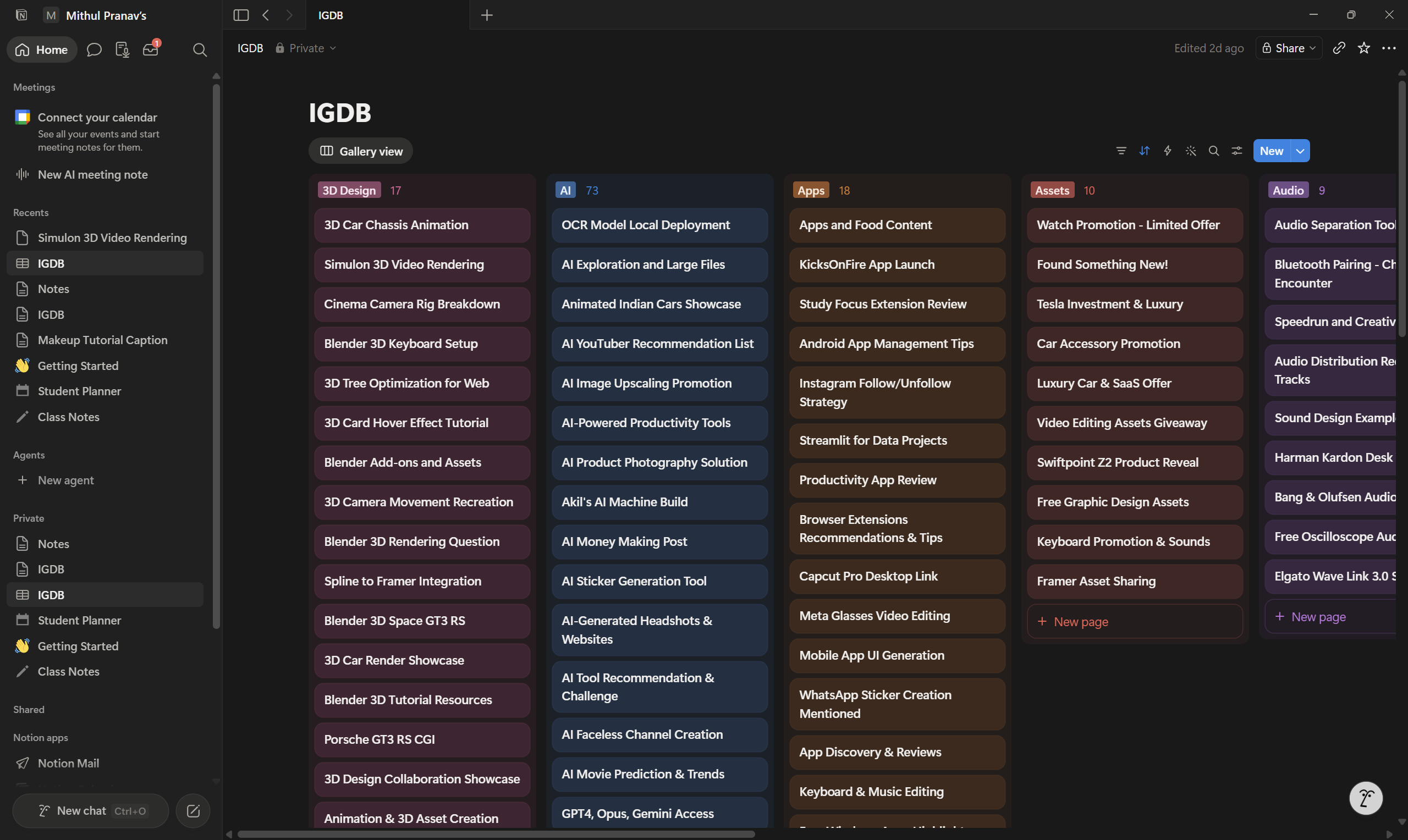
With the LLM’s JSON response in hand, n8n populates the Notion Database. It creates a new page, sets the AI-generated Title and Category, logs the Media Type, Username, and drops the URL.
Finally, once the batch is fully processed, n8n pings a Webhook to my Discord to let me know the execution is complete!
Conclusion
What started as a black hole of forgotten memes and tutorials has transformed into a living, AI-categorized knowledge base.
I built a browser extension to bypass API friction, used pandas to sanitize the data, and orchestrated a Telegram-triggered, LLM-powered n8n workflow to bring it all home to Notion.
Is it over-engineered? Absolutely. Is it incredibly satisfying? 1000%.
Now, if you’ll excuse me, I have some neatly categorized PC Setup reels to go look at.